 LibroEditing proofreading, editing, transcription, localisation
I was innocently using Word one day when I discovered that my horizontal scroll bar had disappeared. This was annoying, because I had a document open at the time at the side of another document, and wanted to navigate around it. Where had my scroll bar gone? This is how I got it back …
How do I display my horizontal scroll bar?
You do this in Word Options.
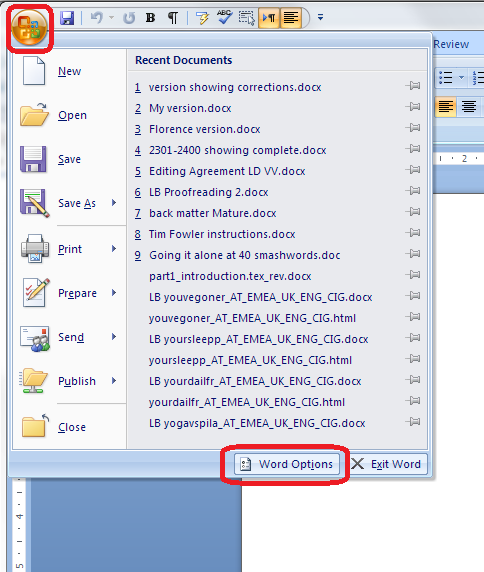
In Word 2007, click the Home button at the top left, and choose Word Options from the box that opens:
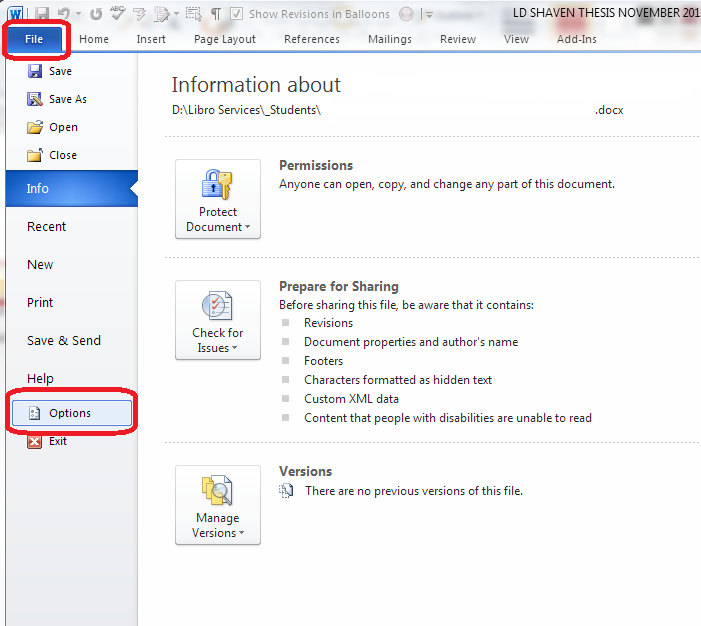
In Word 2010 and 2013 click on File at the top left and then Options
Once you are in Word Options, go to Advanced options, then Display:
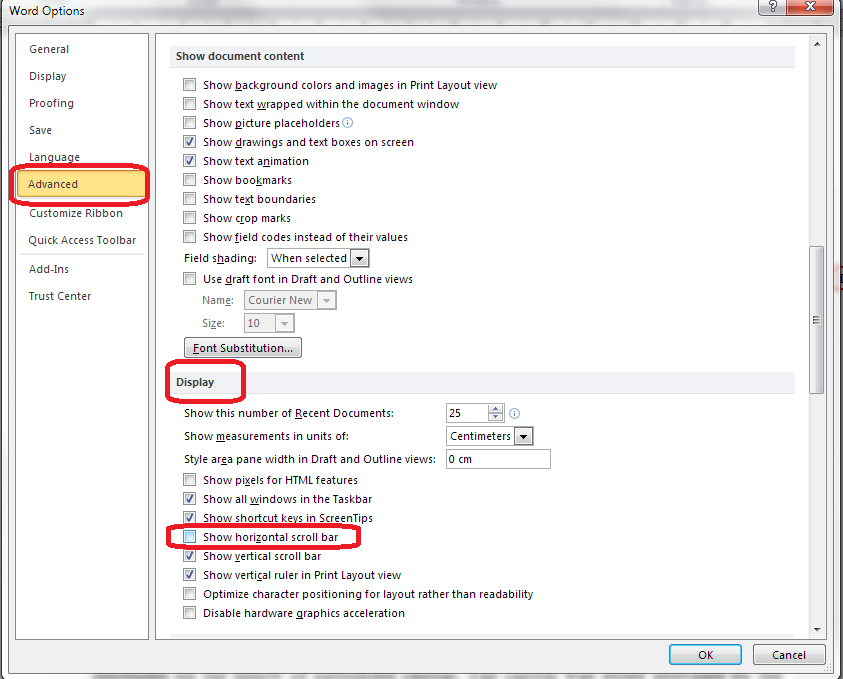
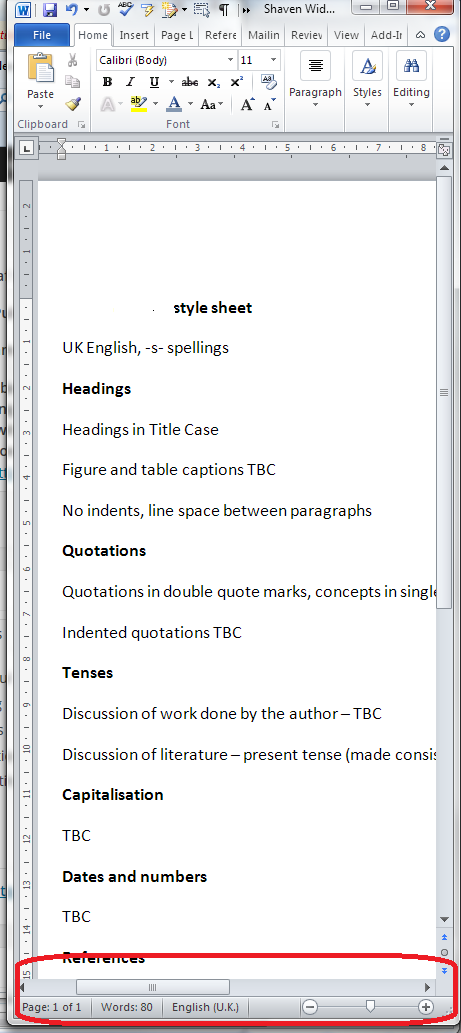
Make sure that you tick Show horizontal scroll bar, and there you are:
Please note, these hints work with versions of Microsoft Word currently in use – Word 2007…
View original post 98 more words


 Viv Drewa - The Owl Lady